For Shopify stores selling custom stickers and labels
The order comes in. Then the real work starts. You email for a better file. You send a proof. You wait. You send another proof. You wait again. By the time it hits the printer, you've spent more time in your inbox than on the stickers.
Appify Custom Product Options lets your customers pick their size, shape, material and finish, design the sticker right on your product page, and approve the proof before they pay. You get the artwork, the proof, the print file and the cut lines attached to the Shopify order.
14-day free trial. Free forever on Shopify Partner dev stores. The live demo needs no signup.
"I've accomplished more in three days than I have in years with other sticker configuration applications."
Size of sticker
Shape
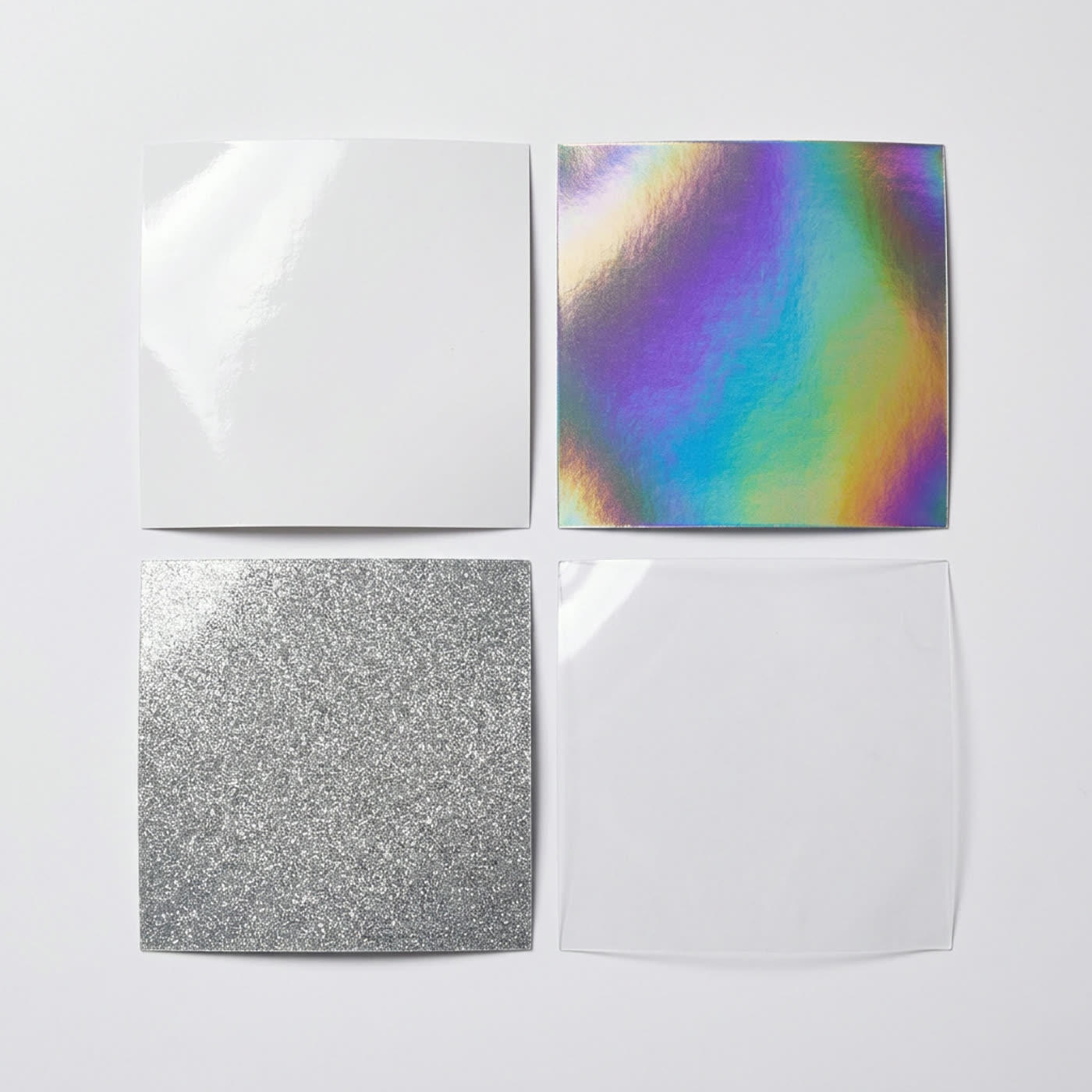
Material & finish
Quantity
Why sticker shops switch
If you run a sticker shop on Shopify, one of these is probably what brought you here.
A shopper who has to email for a price is a shopper who can still change their mind, compare you to someone faster, or simply forget. Calculated pricing lets them buy at the moment they already wanted to.
Holographic and glitter carry the markup, and they are exactly the choices a text dropdown cannot sell. When customers can see the finish on their own artwork, the upgrade stops needing a pitch.
Every size crossed with every material crossed with every quantity turns a small catalog into thousands of SKUs. Inventory drifts, reporting gets useless, and adding one material means rebuilding them all.
Basic options apps are fine until you add a roll product, a rush fee or a second market. Switching apps twice costs more than starting on something that already has the depth waiting.
One app, many setups
The same app, configured five different ways. Nothing here needs code, and you can run more than one setup across different products in the same store.
Bleed guides, safe zones, live cut lines, die-cut smoothness, material previews. Your customer sees exactly what will print before they ever reach checkout.
Every part of the designer is yours to configure. Choose which tools your customers see, which effects you offer, how options bind to the canvas, what the approval flow looks like, and how the whole thing is laid out. Turn off anything that does not apply to what you sell.
The app adapts to how your shop already works.
Runs on our Shopify demo store. No install, no signup.
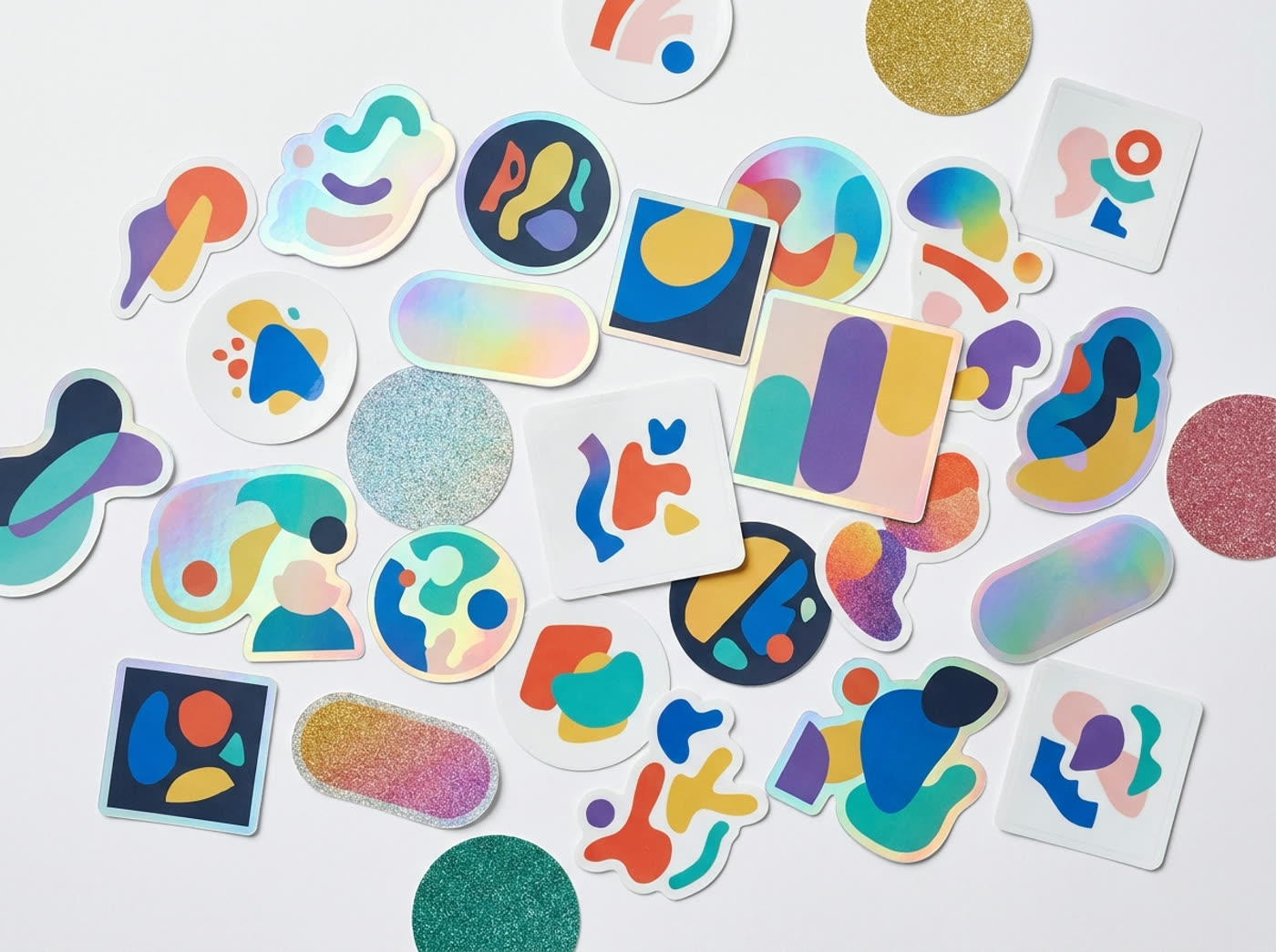
A finish listed as a word in a dropdown asks the customer to imagine it. Some of them email you instead. Some of them just leave. The designer renders the real material over their own artwork, so the upgrade sells itself and the decision gets easy.
Glossy, matte, mirror, cracked ice, glitter, pixie dust and prismatic are all built in, and you can load your own custom effect image for anything else you stock. Effects layer over the artwork, so what they approve is what they receive.
Every email you send after an order is a question you could have asked before the order.
What size? What material? Is the artwork big enough? Does this proof look right? Where do the cut lines go?
Ask all of it up front, on the product page, while the customer is still shopping. They configure it, they see the price change as they go, they design or upload their artwork, and they approve the proof themselves. The order that lands in Shopify is already finished.
That's the difference between an options app and a real sticker workflow. Product options are just the start.

Our Shopify demo store has fully working sticker calculators set up on it. Configure a sticker, open the designer, watch the price move, exactly as a shopper would. Nothing to install and no signup.
New: reorder and cart recovery
Stickers are the definition of a repeat purchase, but a configured order isn't something a customer can just find and buy twice. The size, the shape, the material, the quantity and the artwork they uploaded were the order. Make them build it again and your easiest sale turns into work.
Built for sticker sellers
These aren't generic product options. Each one exists because sticker and label pricing breaks in a specific way, and this is what it takes to fix it.
14-day free trial with every feature turned on. From $39/month after.
Holographic costs more than white vinyl. Clear behaves differently than kraft. Set a multiplier or a separate pricing table per material and the price reflects what you actually pay to produce it.
Premium finishes are where the margin lives. When holographic carries its real price instead of a flat add-on, every upgrade a customer picks protects your profit instead of eating it.


For die-cut stickers, the cut line is generated around the artwork automatically, with border width and die-cut smoothness you control. The customer sees the finished shape before ordering, and you get the path as an SVG on the order.
Hidden layers stay out of the print file. Mockup overlays never export. What you send to the cutter is what the customer approved.
Not a line item you have to chase. Every configured sticker order carries its full production package.
Real people who know the app, not a ticket queue. Merchants consistently mention getting answers in minutes rather than days.
It probably does work fine for options. The question is what happens after the order. If your app hands you a line item and you still have to email for artwork, build the proof and draw the cut lines, that's the part this replaces.
Most merchants here don't. You describe your pricing in plain language and the AI setup builds it. If you'd rather start from something that already works, the sticker calculators on our demo store are working starting points.
Pricing tables, formulas with 50+ math functions, variables, conditional rules, fixed fees, minimums and 2D quantity discounts. If you can explain how you price a job, it can be built. Start the trial and ask support to help you set up your hardest product first.
Then don't turn that on. The designer is optional, and so is every tool inside it. Plenty of shops use the pricing and the file upload without the full editor.
It uses your theme's native add to cart, so there's no cart workaround to break. You can also work in draft and publish only when you're happy, so shoppers never see a half-finished calculator.
Go use it. Our Shopify demo store has real sticker calculators set up on it, so you can configure a sticker and open the designer as a customer would, before you install anything.
Everything is included on one plan. There are no feature tiers to climb.
From $39 / month
Less than most shops charge for a single 100-pack of stickers.
Or try it live first if you'd rather see it working before you install.
Fourteen days, every feature, no charge. Don't start with your simplest sticker. Take the product you've been pricing by hand, or the one that generates the most email, and build that one.
If it can't handle your hardest product, you'll know inside a week and you won't have paid anything.
Support is included from day one. Ask them to help you build it.
Right size. Right material.
Artwork approved by the customer.
Cut lines drawn. Print file attached.
All you have to do is print it.
14-day free trial. Free forever on Partner dev stores. Support answers in minutes.
Yes. Our Shopify demo store has real sticker calculators and the designer switched on, at appify-apps.com/collections/stickers. No signup needed.
Shopify merchants selling custom stickers, labels, decals and similar printed products. It works for other made-to-order categories too, but this page is about stickers.
Stores selling stickers in a few fixed sizes with fixed prices. If Shopify variants already cover your catalog, you don't need this.
No. Use the pricing on its own, add a file upload, or turn on the full editor. It's your call, product by product.
Yes, and you can set the limits. Dimension rules block sizes you can't produce before the order is placed.
The original artwork, an approved proof, a print-ready PNG with bleed, a cut-line SVG, the canvas JSON and a production manifest, all attached to the Shopify order.
No. Options and pricing live outside the variant system, so your product list stays manageable and stock stays accurate.
Yes. 2D quantity discounts let you set different quantity breaks for different size or area ranges, so big configurations don't share the same discounts as small ones.
No. Describe your pricing in plain language and the AI setup builds it. You can edit anything it creates.
Yes. Work in draft and publish when you're ready. Every publish saves a version, and you can restore an older one at any time.
Yes. Up to 10 languages including the designer interface, and Shopify Markets currency conversion.
From $39 per month, with a 14-day free trial. The subscription scales with how much you use the calculators, and monthly AI credits are included, with an overage charge only if you go past them. Shopify Partner development stores are free.